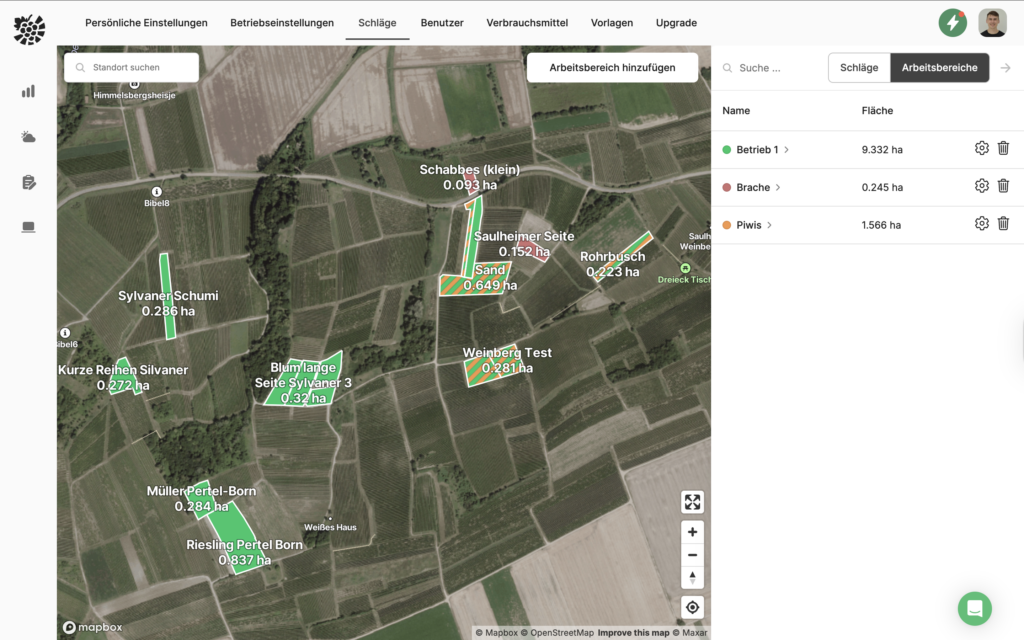
You can assign your own colours to your areas. This allows, for example, fallow land, leasehold management or quality levels to be clearly and visually displayed on the map.
The colour is assigned via Work areas. Simply create a work area (e.g. "Fallow land") and assign a colour to it. All vineyards assigned to this area are then coloured accordingly.
If a vineyard is assigned to several working areas, the corresponding colours are displayed simultaneously on the map. This allows you to quickly recognise the different characteristics of an area.