You can easily import your fields from your field management programme. If you have just registered, you will probably see the following page:
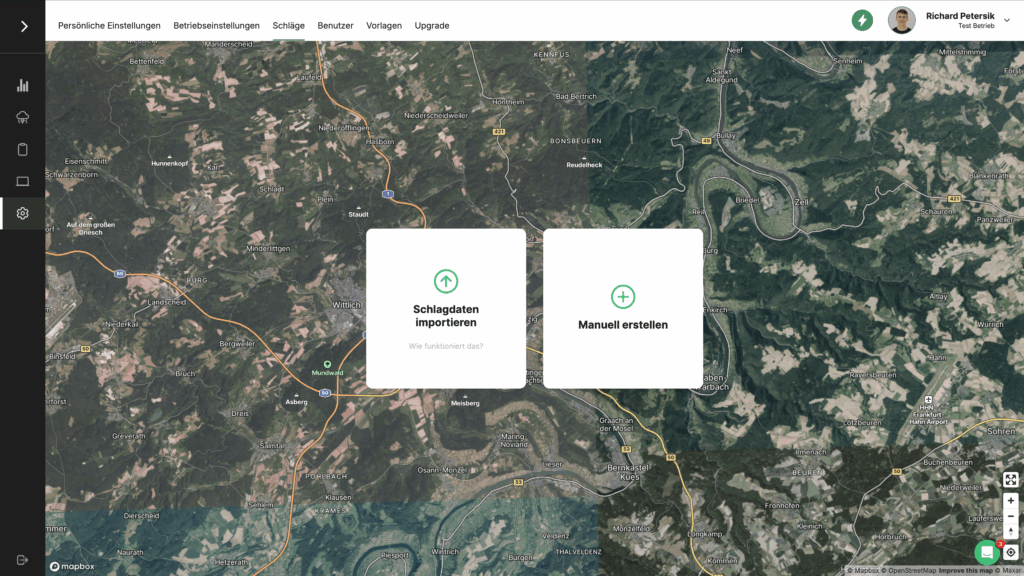
On the page shown above, select "Import shapefiles" from. So far you can import your vineyards almost everywhere in Germany and Austria. Click on the button with your federal state to get instructions for your region:
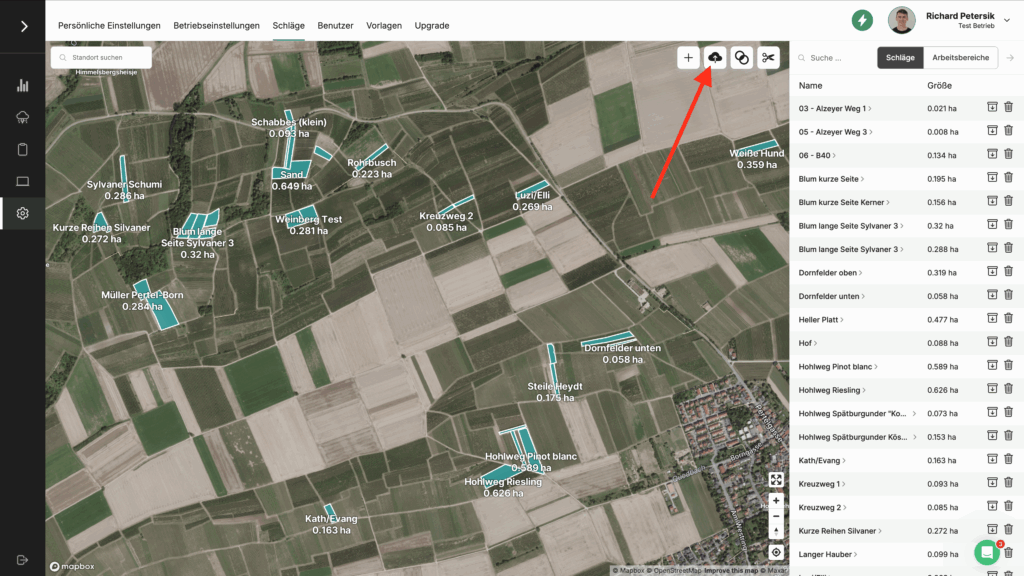
If you are no longer on the site or have already imported shots from VineForecast, then follow this path: Navigate via Settings -> Workspaces. At the top right of the map you will find a button that looks like a cloud (see screenshot below). Click on the button here and then you can easily import your shots to VineForecast as described in the instructions.